Configuring Lync Mobility – Part 4

by Ben Lee | Dec 10, 2011 | Fixes | 26 comments

Continuing my set of instructions for installing Lync Mobility. Here we cover setting up our servers. My previous post covers certificates & the reverse proxy, Part 2 (how to update your servers) and Part 1 (configuring DNS)

Overview of changes

  • Add two new DNS records – one internal, one external
    • Either A records or C-Names
  • Patch everything to Lync RTM CU4
  • Define the “Internal ports” used for mobile clients
  • Install mobility bits on Front-Ends & Directors
    • Enable Dynamic compression in IIS
  • Re-request certificates to support new mobile DNS names
  • Configure your reverse proxy
  • Configure push notifications
  • Test! (Kinda)

Configure push notification support

Push notification is supported for Apple devices and Windows Phone 7. Rather than your edge server directly sending notifications to either Apple or the WP7 notification services Microsoft have implemented quite a clever solution.

You need to setup a connection to Microsoft’s hosted Lync platform & then allow federation with Microsoft’s push notification service which then sends out the notifications to the Apple and WP7 services on your behalf.

Setting this up is a two stage process. If you haven’t setup federation with Lync online before running the following command from a Lync management shell:

New-CsHostingProvider –Identity “LyncOnline” –Enabled $True –ProxyFqdn “sipfed.online.lync.com” –VerificationLevel UseSourceVerification

Next allow federation to the push service:

New-CsAllowedDomain –Identity “push.lync.com”
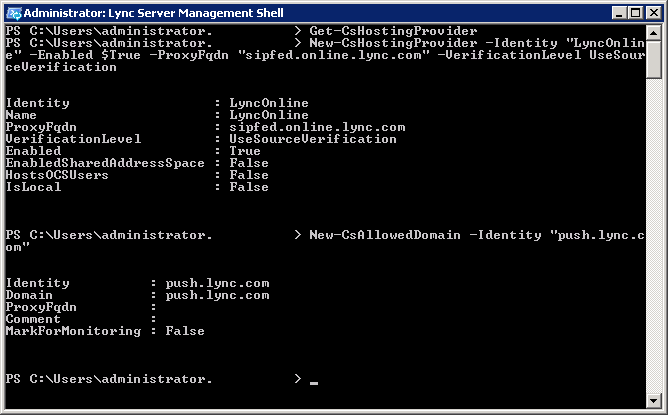
clip_image001

After allowing the change time to reach the edge server you can verify both settings by running the following:

Test-CsFederatedPartner –TargetFqdn <edge FQDN> –Domain push.lync.com –ProxyFqdn sipfed.online.lync.com

And

Test-CsMcxPushNotification –AccessEdgeFqdn <edgeFQDN>
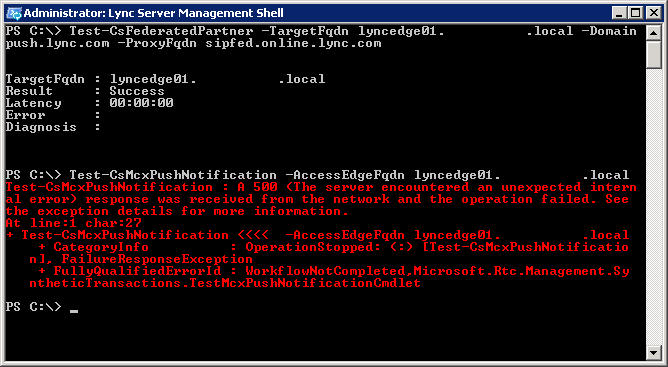
clip_image002

(push notifications at MS’s end weren’t running yet! Hence my error)

Enable push notifications for users buy running the following commands

Set-CsPushNotificationConfiguration –EnableApplePushNotificationService $True –EnableMicrosoftPushNotificationService $True

And

Set-CSAccessEdgeConfiguration -AllowFederatedUsers $True

Note there is a typo in the documentation they missed out the “CS” part of the command
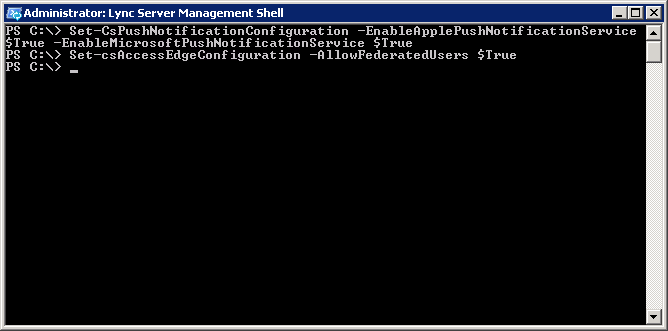
clip_image003

Testing

Until the mobile Lync clients get released you need to satisfy yourself by doing synthetic tests, luckily Microsoft provided a PowerShell command that lets you do this!

From a Lync management shell run the following:

Test-CsMcxP2PIM -TargetFqdn <FQDN of Front End pool> -SenderSipAddress sip:<SIP address of test user 1> -SenderCredential <test user 1 username> -ReceiverSipAddress sip:<SIP address of test user 2> -ReceiverCredential <test user 2 username> –v

When you run the command you’ll get two windows authentication boxes in which you can enter your sets of credentials

If you scroll the window back up a bit just before all the yellow text you should hopefully see a successful result & no reported errors!
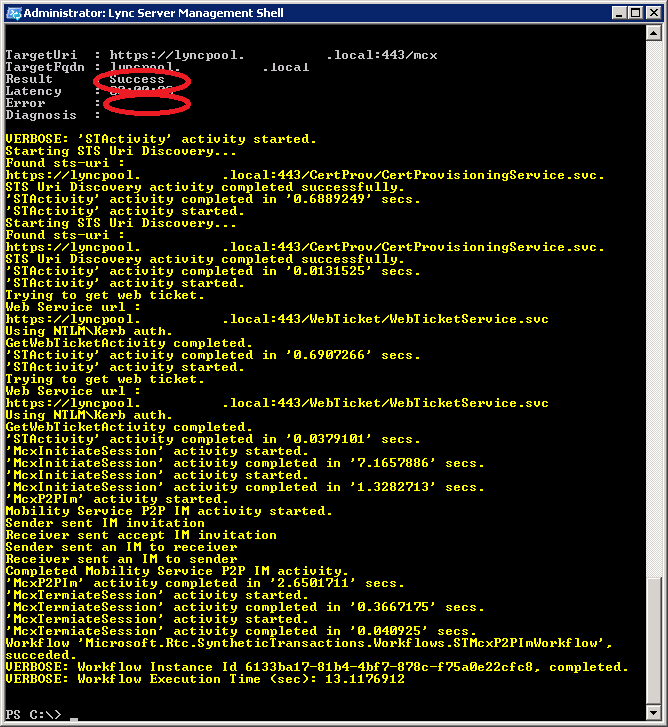
clip_image001[4]


*Phew* that was a long set of things to post but I hope that was useful to a few of you Lync folk out there. If you’ve got any comments or questions please drop me a note in the box below. It might look complex but its not that bad really! Honest..

Ben.

ICYMI Lite, every Monday.

Tagged
Ben Lee

Ben Lee

Ben Lee is a Microsoft MVP and MCT who has been wrangling Microsoft 365 for longer than he would like to admit. By day he is a Head Nerd at N-able. Everything here is his own opinion.

Related

ICYMI Lite: 16–22 November 2026

ICYMI Lite: 16–22 November 2026

🧻 ICYMI Lite: Ignite special, one Copilot and a meter 𝗧𝗟;𝗗𝗥: Last week was Microsoft Ignite. Microsoft 365 Copilot became one app with Office inside it and a meter on the more capable parts, agents got their own mailboxes and a seat in Microsoft Teams, and Work IQ...

ICYMI Lite: 9–15 November 2026

ICYMI Lite: 9–15 November 2026

🧻 ICYMI Lite: oops, the AI did it 𝗧𝗟;𝗗𝗥: Last week Microsoft 365 fell over from Thursday into Friday and blamed a network upgrade, while Anthropic shipped two models and a spreadsheet on the road to its IPO. eBay and United shut the door on shopping agents as OpenAI...

Microsoft IQ at Ignite 2026: Pick Your Track

Microsoft IQ at Ignite 2026: Pick Your Track

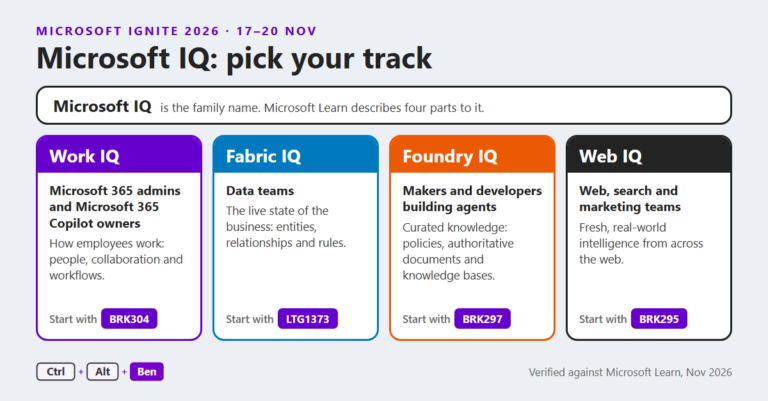
TL;DR: Every main Microsoft IQ "family" session at Microsoft Ignite 2026, grouped into tracks by role, with a link to each session page. Times are San Francisco time (PT) as published in the session catalogue on 15 November 2026. Which IQ is which Microsoft IQ is the...

ICYMI Lite: 2–8 November 2026

ICYMI Lite: 2–8 November 2026

🧻 ICYMI Lite: my first agent, let them eat cake 𝗧𝗟;𝗗𝗥: Last week Microsoft called time on SharePoint's .agent files and made Agent Builder the front door for a first agent, started telling unlicensed Copilot Chat users when they've hit a limit (without saying what the...

ICYMI Lite: 26 October–1 November 2026

ICYMI Lite: 26 October–1 November 2026

🧻 ICYMI Lite: one harness, hold on to your hats 𝗧𝗟;𝗗𝗥: Last week Microsoft gave its agent harness one name, took it to Foundry and put a Decision API in front of Work IQ, started winding down Azure Communication Services, and offered 60,000 people the door in the same...

Agent Builder or Copilot Studio? Building agents in Microsoft 365

Agent Builder or Copilot Studio? Building agents in Microsoft 365

Agent Builder or Copilot Studio: where should you actually build an agent in Microsoft 365, and do you even need an agent, or was it a flow all along? In episode fifteen of 365 Explained, Ben and Zach finally deliver the agents episode we promised back in the Power Automate one, from building an agent in Agent Builder to a tour of Copilot Studio and its harnesses.

The Microsoft Authenticator AuthMask flaw: what to check

An interesting write-up this last week on a flaw in Microsoft's Authenticator app. Don't worry (well, not a lot), a fix was pushed in July, and thanks to responsible disclosure we're only now getting the full detail. Enclave's AuthMask research showed that a malicious...

ICYMI Lite: 19–25 October 2026

ICYMI Lite: 19–25 October 2026

🧻 ICYMI Lite: defaults, smoke alarms and PHP 𝗧𝗟;𝗗𝗥: Last week GitHub started switching on Copilot defaults for admins who never picked, Teams put itself into Efficiency Mode on 8 GB laptops, OpenAI's own coding agents turned off the monitoring that watches them and...