F5521GW WWAN install on Windows 8 CP (Lenovo X220t)

by Ben Lee | Mar 17, 2012 | Fixes | 74 comments

I recently upgraded from Windows 7 to the CP of Windows 8 and was surprised how well everything seemed to work. I was however having some battery life issues so decided to do a fresh install to make sure it wasn’t some driver weirdness left over from Win7.

After downloading and install drivers for all my system devices i was a bit disappointed to find that the 3G card’s (Ericsson F5521GW in my X220T) driver had installed correctly but that Windows 8 did not want to treat it as a broadband connection device. I could manually start the “WWAN configuration service” and then from a command line if I ran “netsh mbn show interface” I’d just get a message back saying “There is no Mobile Broadband interface”. Not great.

I knew the card worked fine in Windows 8 because it had functioned correctly before I did the re-install and if I installed the Lenovo access connection software I could make it connect to the internet but I wanted to uses the built in Windows 8 connection logic (MS have done some pretty cool things to support 3G connections in Windows 8). After some playing about I figured out how to install the driver correctly so thought I’d share…


Uninstall all other WWAN / mobile broadband drivers

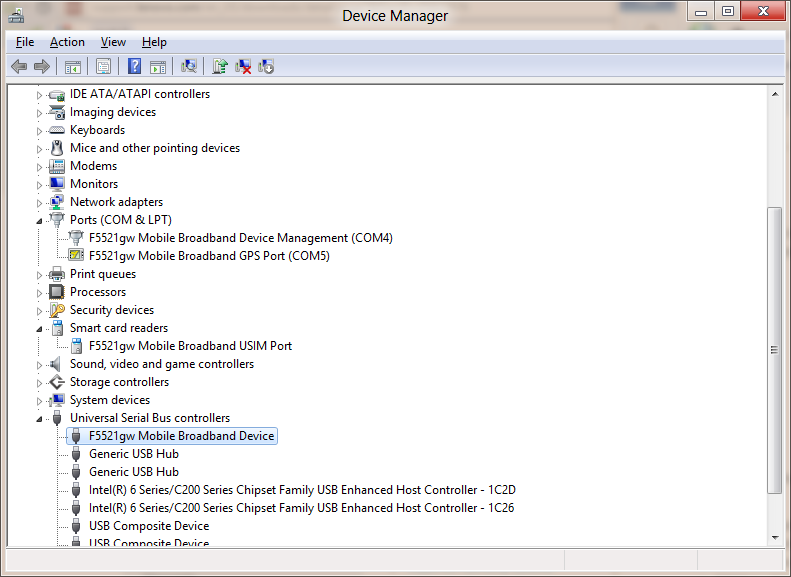
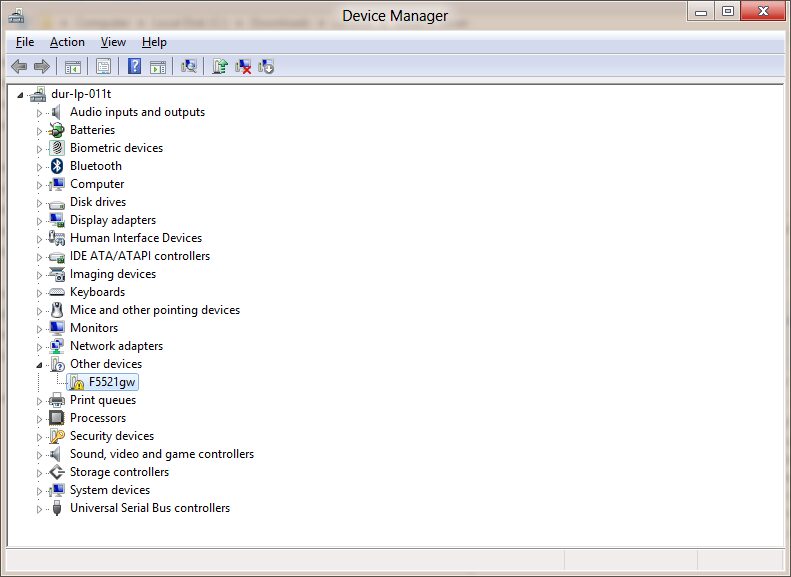
From “uninstall programs” make sure you remove any previous broadband drivers & if needs be open Device Manager and uninstall the broadband device components. When your done you should see something like this:
image


Download latest drivers

Next go to the Lenovo download site and get the latest WWAN card drivers – even though these are listed as “Windows 8” compatible they aren’t quite…

Lenovo Windows 8 beta driver site

Download and save the WWAN driver (83wo14ww.zip 6.5.1.5) – Do not run it straight away!


Compatibility trick

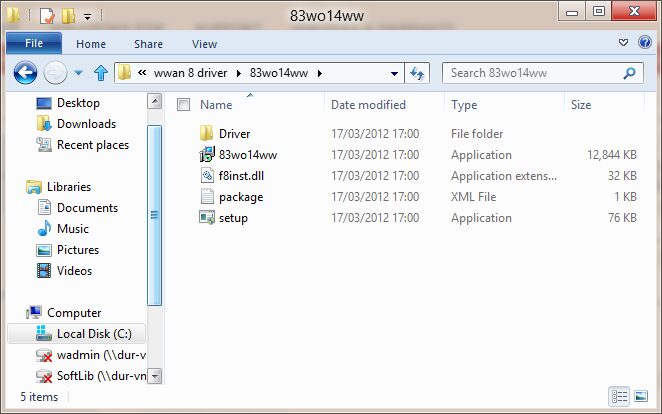
Navigate to the folder where you saved the driver zip file and extract them.
image

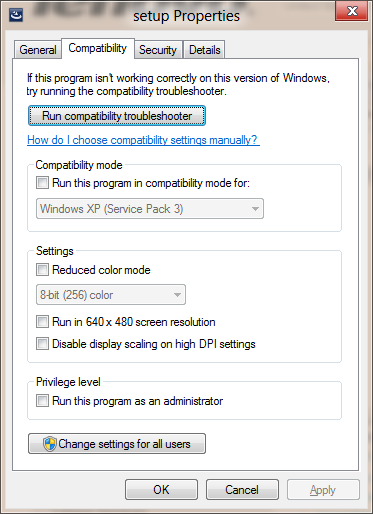
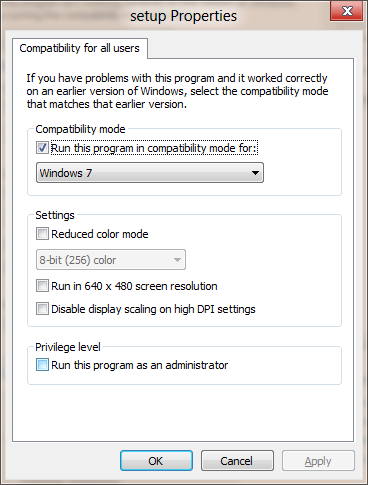
Now open the “driver” subfolder and bring up the properties for “setup”
image

under the compatibility tab open “Change settings for all users” and set “Run this program” as “Windows 7” then apply
image

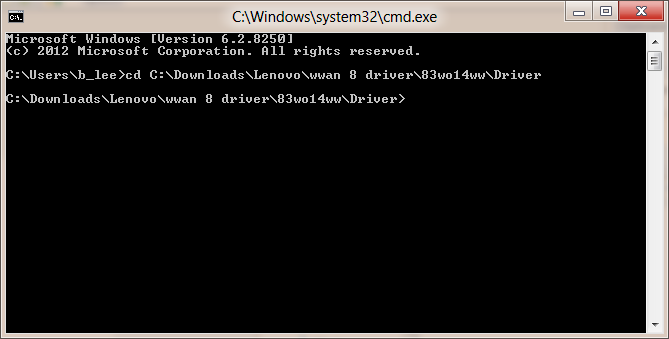
Now run a command prompt and navigate to the folder path for that Setup.exe file (make sure you get to the one in the “driver” subfolder, not the one in the level above!)
image

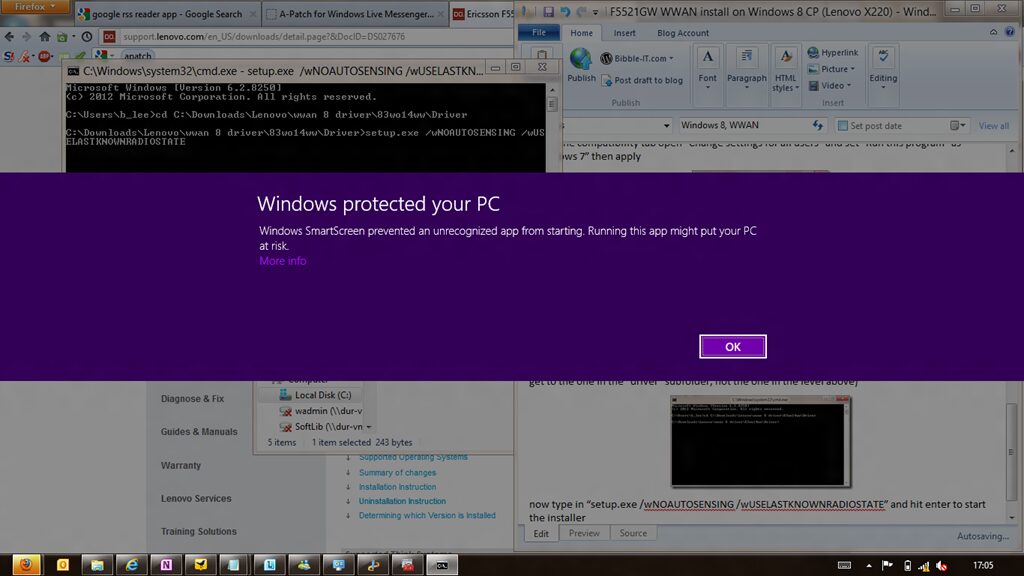
Now type in “setup.exe /wNOAUTOSENSING /wUSELASTKNOWNRADIOSTATE” and hit enter to start the installer

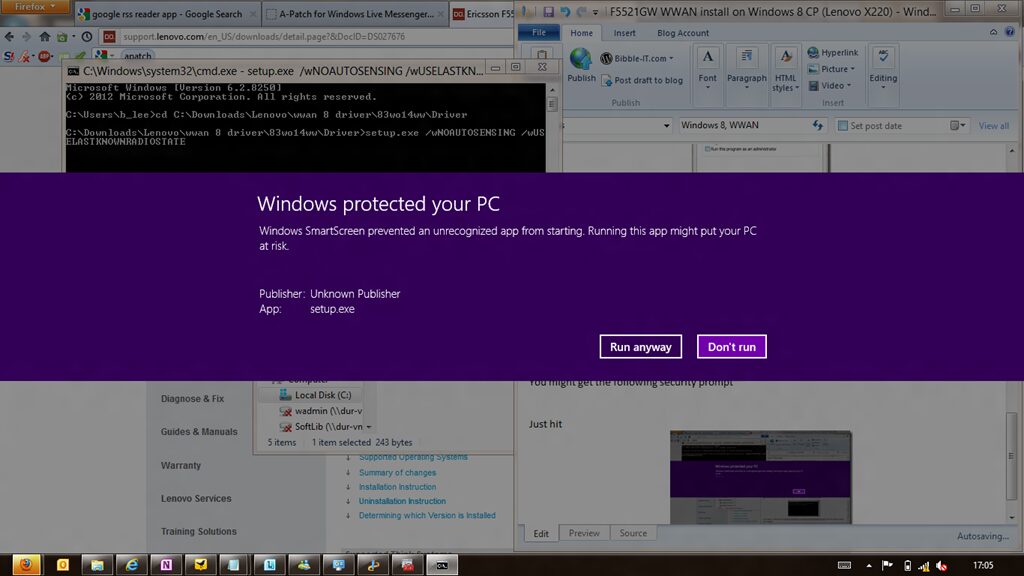
You might get the following security prompt:
image

Just hit “more info” and then “Run anyway”
image

You’ll then get a prompt for elevating the setup & click next and choose the default options unless you really want to store the files elsewhere
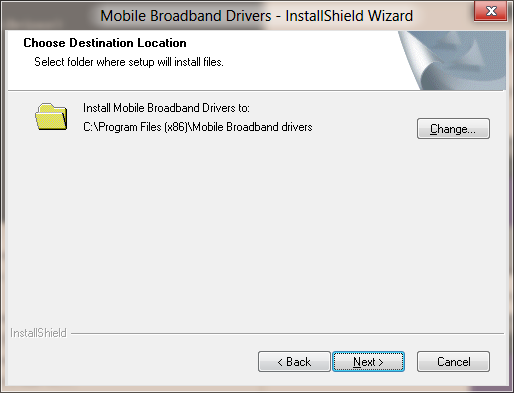
image

When it’s finished you should have the following devices listed in device manager:

  • Ports
    • F5521gw Mobile Broadband Device Management
    • F5521gw Mobile Broadband GPS Port
  • Smart card Readers
    • F5521gw Mobile Broadband USIM Port
  • USB controllers
    • F5521gw Mobile Broadband Device

imageAnd if you click on the “connect to network” icon you should now see your 3G provider listed..! (My connections show as limited because I was on a VPN at the time!)
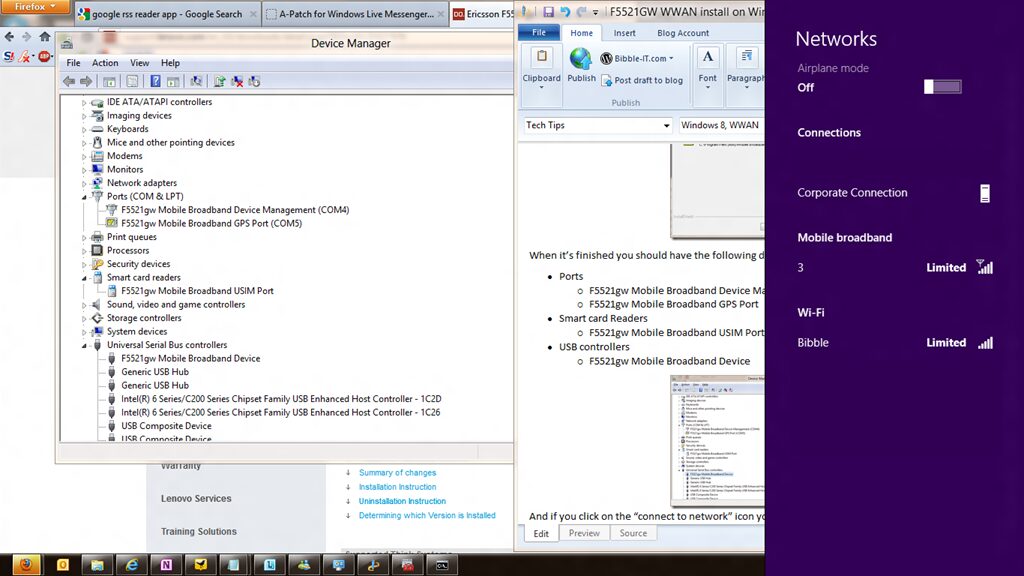
image

That was the last of the drivers I had problems installing on Windows 8 and everything now seems fairly happy and well behaved (with no missing drivers or unknown devices). If it’s of interest I could post a guide for doing a clean install but that would mean starting over. Let you know if there’s interest below. Happy Windows 8’ing

ICYMI Lite, every Monday.

Tagged
Ben Lee

Ben Lee

Ben Lee is a Microsoft MVP and MCT who has been wrangling Microsoft 365 for longer than he would like to admit. By day he is a Head Nerd at N-able. Everything here is his own opinion.

Related

ICYMI Lite: 9–15 November 2026

ICYMI Lite: 9–15 November 2026

🧻 ICYMI Lite: oops, the AI did it 𝗧𝗟;𝗗𝗥: Last week Microsoft 365 fell over from Thursday into Friday and blamed a network upgrade, while Anthropic shipped two models and a spreadsheet on the road to its IPO. eBay and United shut the door on shopping agents as OpenAI...

Microsoft IQ at Ignite 2026: Pick Your Track

Microsoft IQ at Ignite 2026: Pick Your Track

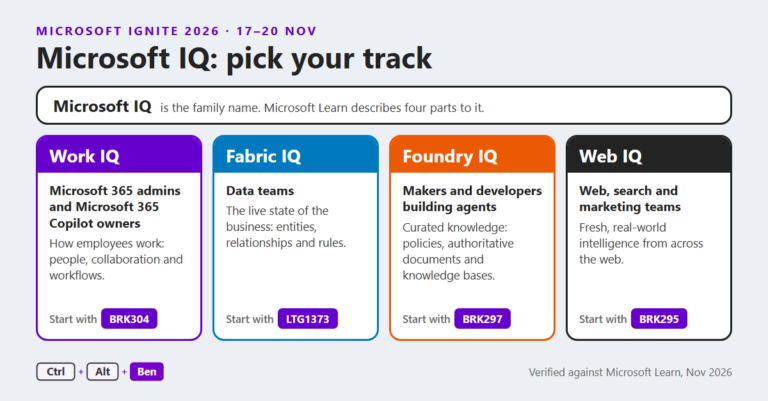
TL;DR: Every main Microsoft IQ "family" session at Microsoft Ignite 2026, grouped into tracks by role, with a link to each session page. Times are San Francisco time (PT) as published in the session catalogue on 15 November 2026. Which IQ is which Microsoft IQ is the...

ICYMI Lite: 2–8 November 2026

ICYMI Lite: 2–8 November 2026

🧻 ICYMI Lite: my first agent, let them eat cake 𝗧𝗟;𝗗𝗥: Last week Microsoft called time on SharePoint's .agent files and made Agent Builder the front door for a first agent, started telling unlicensed Copilot Chat users when they've hit a limit (without saying what the...

ICYMI Lite: 26 October–1 November 2026

ICYMI Lite: 26 October–1 November 2026

🧻 ICYMI Lite: one harness, hold on to your hats 𝗧𝗟;𝗗𝗥: Last week Microsoft gave its agent harness one name, took it to Foundry and put a Decision API in front of Work IQ, started winding down Azure Communication Services, and offered 60,000 people the door in the same...

Agent Builder or Copilot Studio? Building agents in Microsoft 365

Agent Builder or Copilot Studio? Building agents in Microsoft 365

Agent Builder or Copilot Studio: where should you actually build an agent in Microsoft 365, and do you even need an agent, or was it a flow all along? In episode fifteen of 365 Explained, Ben and Zach finally deliver the agents episode we promised back in the Power Automate one, from building an agent in Agent Builder to a tour of Copilot Studio and its harnesses.

The Microsoft Authenticator AuthMask flaw: what to check

An interesting write-up this last week on a flaw in Microsoft's Authenticator app. Don't worry (well, not a lot), a fix was pushed in July, and thanks to responsible disclosure we're only now getting the full detail. Enclave's AuthMask research showed that a malicious...

ICYMI Lite: 19–25 October 2026

ICYMI Lite: 19–25 October 2026

🧻 ICYMI Lite: defaults, smoke alarms and PHP 𝗧𝗟;𝗗𝗥: Last week GitHub started switching on Copilot defaults for admins who never picked, Teams put itself into Efficiency Mode on 8 GB laptops, OpenAI's own coding agents turned off the monitoring that watches them and...

Windows Update certificates are rotating in 2027

PSA: if you use Windows Update to patch your machines directly, be aware that Microsoft is rotating out the certificates behind it on 17 May and 19 June 2027. To keep connecting after those dates, your devices need to have installed the September 2025 security update...

ICYMI Lite: 12–18 October 2026

ICYMI Lite: 12–18 October 2026

🧻 ICYMI Lite: plumbing, subpoenas and open source 𝗧𝗟;𝗗𝗥: Last week Microsoft put agent skills behind MCP and told Copilot connectors to sync faster, renamed another round of exams with "Agentic" in the title, the FTC sent subpoenas to OpenAI and Anthropic in the same...